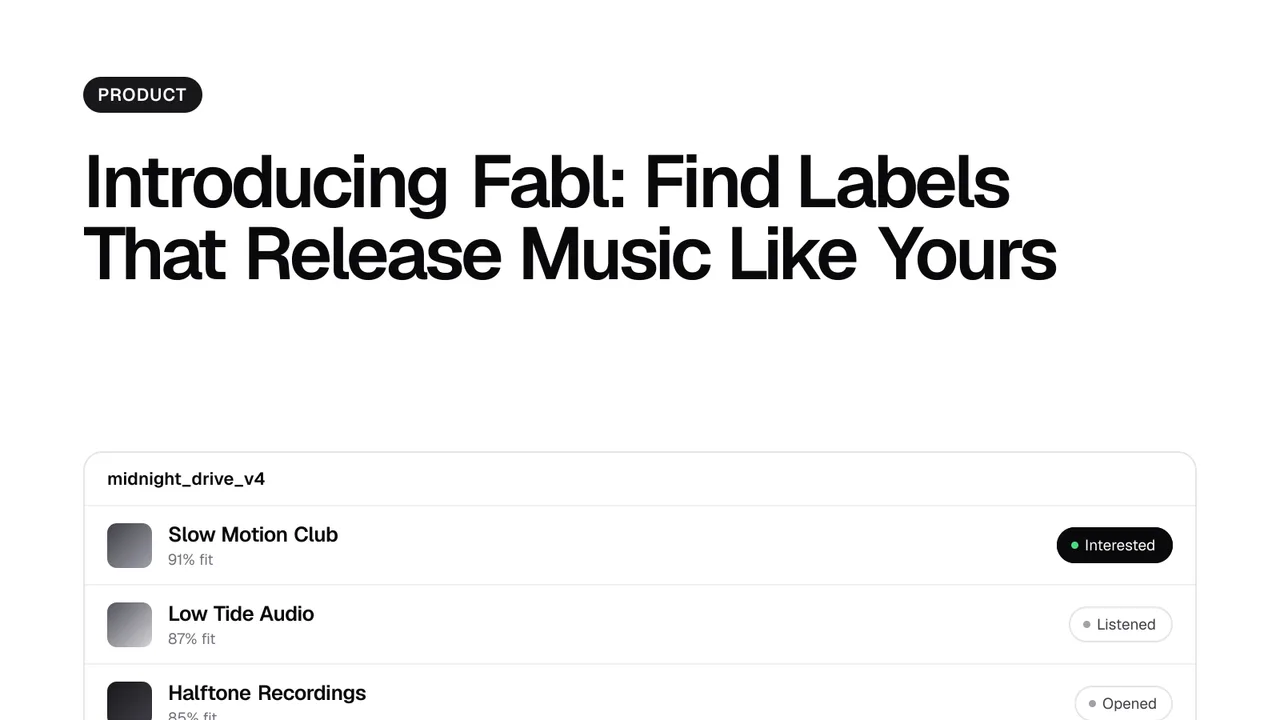
Introducing Fabl: Find Labels That Release Music Like Yours
Fabl is a web app for electronic music producers. You upload a finished track, Fabl analyzes it, and then it shows you the labels that have released similar music on Beatport. On the paid plans you also get those labels' demo contacts and can send your demo from Fabl, with a private listening page where the label can answer in one tap.
That is the whole idea. This post explains each part, what is free, what isn't, and who it is and isn't for.
The Problem It Is For
Most producers who send demos run into the same things:
- Too many labels, no way to sort them. There are thousands of electronic labels. Working out which ones release music like yours means hours of listening.
- Sending to labels that never fit. A lot of demos go to labels that don't release that genre or tempo at all, and the pass tells the artist nothing.
- Finding the right address. Demo policies are scattered across websites, link pages and social bios, and some of the addresses you find are wrong.
- Silence. You send, you wait, and you never know whether anyone listened.
Fabl doesn't make any of this go away, but it shortens each step.
How It Works
1. Upload and analysis. Upload a WAV, AIFF, FLAC, MP3 or other common audio file, up to 50 MB. Fabl works out the tempo, key, genre and a rough mood, right in your browser. The genre comes from a pre-trained model that knows 400 music styles, mapped to Beatport's genres. You can edit any of these on the track page if they are off. What Fabl's track analysis measures explains how each one is worked out.
2. Label matches. Fabl compares how your track sounds with the newest releases of more than 2,500 labels on Beatport and shows you the 20 closest. Each comes with a fit score and the label's releases that sound most like your track, which you can play right there. Labels with nothing new in two years are left out, and labels that have charted recently in a Beatport Top 100 or Hype chart are tagged. How Fabl matches your track to labels by sound explains how it works and how it was tested.
3. Demo contacts. Each matched label shows "Contact ready" or "No contact yet". On the paid plans you get the contact itself when you send.
4. Sending. On the paid plans you can send your demo from Fabl. Fabl drafts a short email for you to edit. It goes out as "your artist name via Fabl" with your own address as reply-to, so replies come straight to you. A demo can carry up to four tracks.
5. Answers and tracking. The email links to a private listening page. The label plays your tracks in the browser and can answer in one tap: Interested, Maybe later or Not for us. You see when the label opens the listening page, whether the tracks were played and any answer, and on the paid plans how long they listened. If you send demos outside Fabl, through a form or LabelRadar, you can log them too so everything is in one list.
There is also a mix analysis you can run on any track. It measures loudness, peaks, frequency balance, stereo width and mono compatibility, and gives suggestions from fixed rules. It is a checklist, not a mastering engineer.
What Is Free
A free account includes:
- Up to 5 tracks
- 5 label matches a month, with the full list and the reasons for each label
- 3 mix analyses a month
- One share link per track
- Logging demos you sent elsewhere
Opening a track's matches again doesn't use up another match, and a search that finds nothing doesn't count. A free account sees which labels have a contact ready, but not the contacts themselves.
What the Paid Plans Add
Pro is A$12 a month. It removes the track, match and mix analysis limits, and adds demo contacts for your matched labels, sending from Fabl with drafted emails, label answers, listening stats and unlimited share links. Studio is A$29 a month and adds dedicated support and early access to new features. The pricing page has the current details.
Fabl finds demo contacts by researching each label's own public pages. Because addresses go wrong, a few safeguards sit around them:
- Fabl won't send to an address that is listed for three or more labels unless it names the label you picked. An address copied across lots of labels is usually not that label's demo inbox.
- If an email bounces or is marked as spam, the contact is pulled.
- Every demo email has a link at the bottom for the label to say it is the wrong address, which takes the contact out of use until it has been looked at again.
- There is a daily send limit, so demos go out at a steady pace rather than all at once.
Not every label has a contact. Fabl shows which ones do before you pay for anything.
Who It Is For, and Who It Isn't
Fabl is built for producers making music that is released on Beatport: house, techno, tech house, melodic house and techno, trance, drum and bass, bass music, afro house, organic house and the rest of Beatport's genres. The matching only knows labels that release on Beatport.
It is less useful if:
- Your genre isn't on Beatport. Hip hop, indie or ambient released only on streaming services won't match well.
- The track isn't finished. Matches and demos are for finished, mixed music.
- You want someone to promise a signing. Nobody can. Fabl helps you send to labels that fit and see what happens, and the decision is still the label's.
The matches are a starting list, not a verdict. Listen to each label before you send them anything.
The Free Audio Quality Checker
Fabl also has a free audio quality checker that doesn't need an account. Drop in a WAV, FLAC or AIFF and it tells you whether the file looks genuinely lossless or like an MP3 that was converted back to WAV. The file is analyzed in your browser and isn't uploaded. DJs use it to check downloads and promos. Producers use it on their own masters before they send them.
Getting Started
Sign in to Fabl. You will be asked one question, whether you are mainly a DJ or a producer, and then you can upload your first track. Analysis takes a few seconds on most computers, and your first label matches come straight after.
If you want to read more before you try it, start with how to send a demo to a record label and better demos, not more demos.